A screen-free audio player is not automatically safe simply because it does not have a screen. It may be a useful way to play stories, music, or recordings, but the safety decision still depends on the exact player, its accessories, its age guidance, and the way your family will use it.
Before regular use, check the manufacturer’s instructions for the exact model and version you have or plan to buy. Then look separately at volume, detachable items, headphones, cables, charging equipment, and where the player will live. A player that works well on a high shelf with adult help may need a different setup when it is carried from room to room or shared with a younger sibling.
The absence of a screen can change the play experience. It does not remove the need to read warnings, inspect parts, or make a plan for charging and storage.
The quick safety answer: check the player, the accessories, and the setup
Start with three questions:
- What does the manufacturer say about this exact player’s age range, warnings, and use?
- What parts can a child reach, remove, mouth, carry, or lose?
- How will listening and charging happen in your actual home?
Those questions matter more than whether a player is described as screen-free, educational, travel-friendly, or child-led.
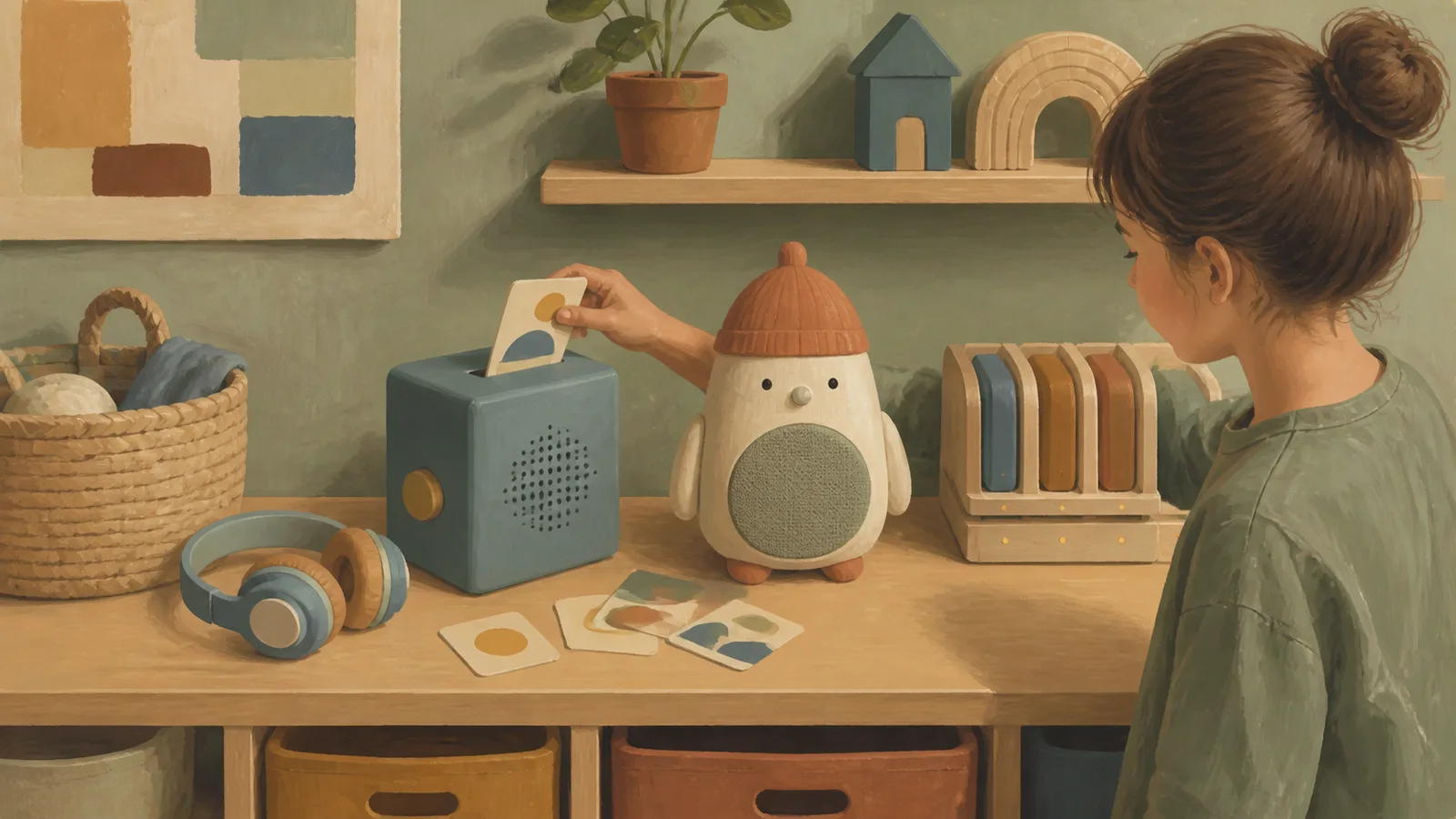
A player may include more than its main unit. Depending on the system, there may be cards, figures, tokens, headphones, straps, cables, docks, adapters, cases, or replacement accessories. The age guidance for the main player does not necessarily answer every question about every included or separately purchased item.
It is also reasonable to decide that a player is not a good fit yet. You might wait until a child is ready to handle the controls, use it only with an adult nearby, keep certain accessories out of reach, or use a household speaker instead. Simplifying the setup is often more useful than trying to make every feature available from day one.
Start with the manufacturer’s age grade and included parts
Before comparing content libraries or colors, identify the exact product. Product names can cover several generations, sizes, or bundles, and accessories can change over time. Look for the current official product page, packaging, manual, and warnings for the version you are considering.
Make a quick inventory of what comes with it and what you may add later:
- The player itself
- Figures, cards, tokens, or other items used to start audio
- Headphones or earbuds
- Charging cable, dock, and wall adapter
- Carry strap, case, or clip
- Replacement parts and accessories already in the home
Then ask a practical question: what will your child actually have access to?
A child may be ready to press play on a player but still need an adult to manage a cable, choose a listening volume, or put small accessories away. Another child may prefer the player without the collectible or interactive pieces that came with it. There is no need to use every component just because it was included.
Pay particular attention if a younger sibling, visiting child, or pet can reach the player’s accessories. Small detachable objects can create a different household concern from the main unit. Rather than assuming an item is suitable because it belongs to a children’s audio system, check its own labeling and instructions.
If documentation is unclear, treat that as a reason to pause and seek clarification from the manufacturer rather than filling in the gap with a retailer listing or online review.
Check sound exposure, not just whether there is a volume limit
Volume controls are useful, but a volume-limit label is not a complete safe-listening plan. Listening exposure can vary with the setting, the room, the duration of listening, the type of headphones, and background noise.
For example, a child may turn up sound to hear over a vacuum, car ride, sibling play, or television in another room. The same volume setting can feel different with different headphones or in a quieter space.
Yoto states that its fourth-generation Yoto Player and Yoto Mini have default safe-listening volume settings for wired or Bluetooth headphone use. It also says caregivers should check whether the volume is appropriate for the environment, even when those protections are enabled. That information is specific to the models and headphone use described by Yoto’s official site; it should not be assumed to apply to earlier Yoto models, speaker playback, or another brand’s player.
A simple home check can be more useful than relying on a label alone:
- Find the volume controls before handing over the player.
- Set the player up in the room where it will usually be used.
- Listen briefly at the chosen setting before regular use.
- Recheck after changing headphones, moving to a noisier setting, or adding a new user who can change controls.
- Make sure the child knows how to lower the volume or ask for help.
Speaker listening in a quiet shared space may be the simpler option for some families, especially when a child is still learning to manage headphones. That does not make speaker listening automatically appropriate in every setting; it simply avoids adding a headphone accessory and its fit, volume, and cable considerations.
For more context on choosing an audio setup around everyday listening habits, see Life With Toys’ guide to screen-free audio players for kids. The guide notes that listening level and duration matter alongside any volume-limiting feature.
Are volume-limited headphones safe for young children?
A volume-limited feature should be treated as one control, not a guarantee that hearing damage cannot occur. Check the exact player and headphone documentation, make sure the setting is active where applicable, and listen at the intended setup before regular use.
If you cannot confirm how the limit works with your player, whether it applies to wired and wireless listening, or whether it can be changed, it is sensible to use another setup or wait until you have the manual.
Look closely at figures, cards, tokens, and headphone accessories
Many screen-free players invite children to choose audio by carrying, placing, posting, tapping, or swapping an accessory. That can be enjoyable and easy to understand, but it also means the accessories need their own inspection.
Before use, look for:
- Loose, cracked, or damaged pieces
- Parts that have separated from an accessory
- Missing covers or exposed components
- Small items that may travel into bedrooms, bags, cars, or sibling play areas
- Headphone cushions, plugs, adjustment pieces, or other parts that are damaged or loose
Do not assume every figure, card, or token poses the same risk. Size, construction, warnings, condition, and the child using it all matter. The useful action is to check the exact accessory documentation and decide where it will be stored when play is over.
A lidded container, high shelf, or adult-managed basket can be enough for some households. In others, the easiest approach may be to keep the player available while bringing out a limited number of accessories at a time. This can also reduce the familiar frustration of searching for the one piece needed to start a favorite story.
If an accessory is damaged, missing a component, or no longer matches the condition described in its instructions, stop using it until you can check the manufacturer’s guidance. Do not rely on a child’s ability to “be careful” as the only control.
Are audio-player figures and cards safe around younger siblings?
They may require separate storage or supervision, depending on their size, condition, labeling, and the younger child’s behavior. The main player’s age guidance does not replace the need to check detachable accessories individually.
A workable family rule can be: the older child uses selected accessories at a table or in a defined play area, then returns them to adult-managed storage. If that is more work than your household can reasonably sustain, choosing a simpler player setup may be the better option.
Treat cords, batteries, and charging as separate safety checks
Charging is easy to overlook because it may happen after bedtime or away from where the child listens. Still, the cable, adapter, dock, battery system, and charging location are part of the product’s real-world use.
Use the exact manual for your player to check:
- Which cable, adapter, dock, or power source the manufacturer approves
- Whether the player has specific charging instructions or warnings
- How the battery is intended to be handled
- What to do if the unit, cable, connector, or charging area appears damaged
- Any instructions about transport, cleaning, moisture, or storage
Avoid making assumptions based on another device you own. A cable that fits a port is not necessarily the charging equipment the manufacturer specifies for that player.
Choose a charging spot that works for your household rather than leaving the decision to chance. Consider whether children can pull on a cable, whether a younger sibling can access the charging area, whether the player will be charged in a busy walkway, and whether an adult can notice damage before the next use.
If equipment becomes frayed, cracked, bent, unusually hot, swollen, wet, or otherwise damaged, stop using it and follow the manufacturer’s support or safety instructions. The available research package for this article does not include model-specific battery, charging, or cord manuals, so this is not a substitute for the documentation supplied with your exact device.
Can a toddler use a screen-free audio player without headphones?
Possibly, but suitability depends on the manufacturer’s age guidance and the player’s particular setup. Speaker playback can be simpler because it removes headphones from the immediate routine. You still need to check the listening level, detachable accessories, charging arrangement, and the level of adult help your child needs.
Match the setup to your child and your home
Safety instructions become more useful when they are translated into a routine you can actually maintain. Think about where and when the player will be used.
A few useful planning questions:
- Will the player stay in one room or travel in a backpack or car?
- Who plugs it in and unplugs it?
- Can your child reach the volume control?
- Are accessories likely to be shared with a younger sibling?
- Is the player likely to be used around water, food, pets, or outdoor play?
- Where will cables and accessories go after use?
- Does your child use it independently, or do they still need help choosing content and handling parts?
There is no perfect arrangement. A family with limited shelf space may keep the player in a common room and charge it only when an adult is present. Another may reserve headphones for a child who can reliably manage them, while younger children listen through the speaker. A travel player may stay at home if the accessories and cables are more difficult to manage outside the house.
These are practical choices, not developmental tests. Independent use is not the goal if the setup does not fit your child or home right now.
A five-minute caregiver checklist before regular use
Use this as a final pass once the player is out of the box and before it becomes part of the daily routine.
- Confirm the exact model. Find the manufacturer’s age guidance, warnings, and instructions for that version.
- List the parts. Include figures, cards, tokens, headphones, cables, docks, cases, and replacement accessories.
- Inspect what is detachable. Put aside damaged, loose, or unclear accessories until you can check their documentation.
- Set up sound intentionally. Locate the volume controls and listen briefly in the room where the player will be used.
- Check headphone settings separately. If headphones are used, verify the player’s settings and the headphone instructions rather than assuming a limit is always active.
- Review charging equipment. Use the equipment and method identified in the product instructions, and inspect cables and connectors before use.
- Choose storage. Decide where the player, accessories, and charging equipment will go when not in use.
- Plan for other children. Revisit the setup if a younger sibling gains access, new accessories arrive, or the player begins traveling more often.
The best next step is modest: identify the exact model, read its current instructions, and set up only the parts your child can use safely with the support available in your home.
Sources and research note
- Yoto USA | The Screen-Free Audio Platform for Children — Manufacturer information reviewed for its statements about default headphone listening settings on the fourth-generation Yoto Player and Yoto Mini, and its recommendation that caregivers check volume for the environment.
- Screen-Free Audio Players for Kids: 2026 Guide | Life With Toys — Internal editorial context on listening level, duration, speaker use, and family setup.
This article is intentionally limited by the available source material. The supplied research package includes manufacturer information about Yoto headphone listening settings, but it does not include official regulator guidance or exact product manuals covering small parts, cords, batteries, charging, recalls, or age grades across screen-free audio-player brands. For any specific player, consult the current official instructions, warnings, included-accessory information, and applicable recall information before purchase or regular use.